
Screenshots
App details
- Version
- 2.65
- Size
- 1.46 MB
- Updated
- February 12, 2019
- Requires
- Windows XP
- Language
- English
- License
- Trial version
- Developer
- More programs (15)
- Category
- Windows OS
SoftPas in:
This product is also available in the following languages:
About Repair Video Master
Download Repair Video Master – Fast, Secure Video Repair Tool for Windows & Mac
Overview
Repair Video Master, developed by Boilsoft, is the quickest way to restore corrupted video files without the need for a complex video editor. Whether you’re dealing with an AVI that refuses to play, an RM or WMV that stalls during streaming, or a massive Xvid file that exceeds 2 GB, this tool detects the underlying issues and repairs them with a single click. The program’s core strength lies in its ability to analyze the file structure, locate broken headers, missing frames, and broken indexes, then rebuild a clean copy while preserving the original file untouched. Users can simply add the damaged video, press “Repair,” and watch as the software restores the file in a matter of minutes. The repaired video is saved as a new file, ensuring that the original remains unchanged—a safety net that many competing tools lack. With support for a wide range of formats, a user‑friendly interface, and an emphasis on speed, Repair Video Master eliminates the frustration of lost memories or unfinished projects, letting you get back to watching or editing your videos instantly.
Key Features & Benefits
- Supports major video containers: AVI, WMV, RM, Xvid, MP4, MOV, and more.
- Handles large files exceeding 2 GB without performance degradation.
- One‑click repair: Add file → Click “Repair” → Get a new, clean video.
- Preserves original file by saving repaired output as a separate file.
- Automatic detection of corruption type (header, index, codec mismatch).
- Batch processing capability for multiple videos at once.
- Built‑in preview mode to verify repair success before saving.
- Lightweight installer under 10 MB, quick download and installation.
- Regular free updates that add new codec support and improve stability.
- Secure, offline processing – no internet connection required after download.
Why These Features Matter
The breadth of format support means you won’t need separate tools for each video type, reducing both cost and complexity. Large‑file handling is critical for professionals who work with high‑definition footage, and Repair Video Master’s batch mode saves valuable time when multiple videos are affected. By creating a new output file, the software eliminates the risk of accidental data loss—a common concern with many repair utilities that overwrite the source. The automatic detection engine reduces the need for technical knowledge; users do not have to understand the nature of the corruption to get a successful fix. Regular updates ensure compatibility with emerging codecs and operating system patches, keeping the tool future‑proof. Lastly, the offline processing model respects privacy, as no video data is uploaded to external servers.
Installation, Usage & Compatibility
Step‑by‑Step Installation
1. Download the installer from the official Boilsoft website. The file is a compact .exe for Windows or .dmg for macOS, typically under 10 MB.
2. Run the installer and follow the on‑screen prompts. The wizard asks for an installation folder—default settings work for most users.
3. Accept the license agreement and click “Install.” The process completes within a minute on modern hardware.
4. Launch Repair Video Master from the desktop shortcut or the Start menu (Windows) / Applications folder (macOS).
5. The first launch may prompt you to install optional codec packs; these are recommended for maximum compatibility but not mandatory.
How to Repair a Video
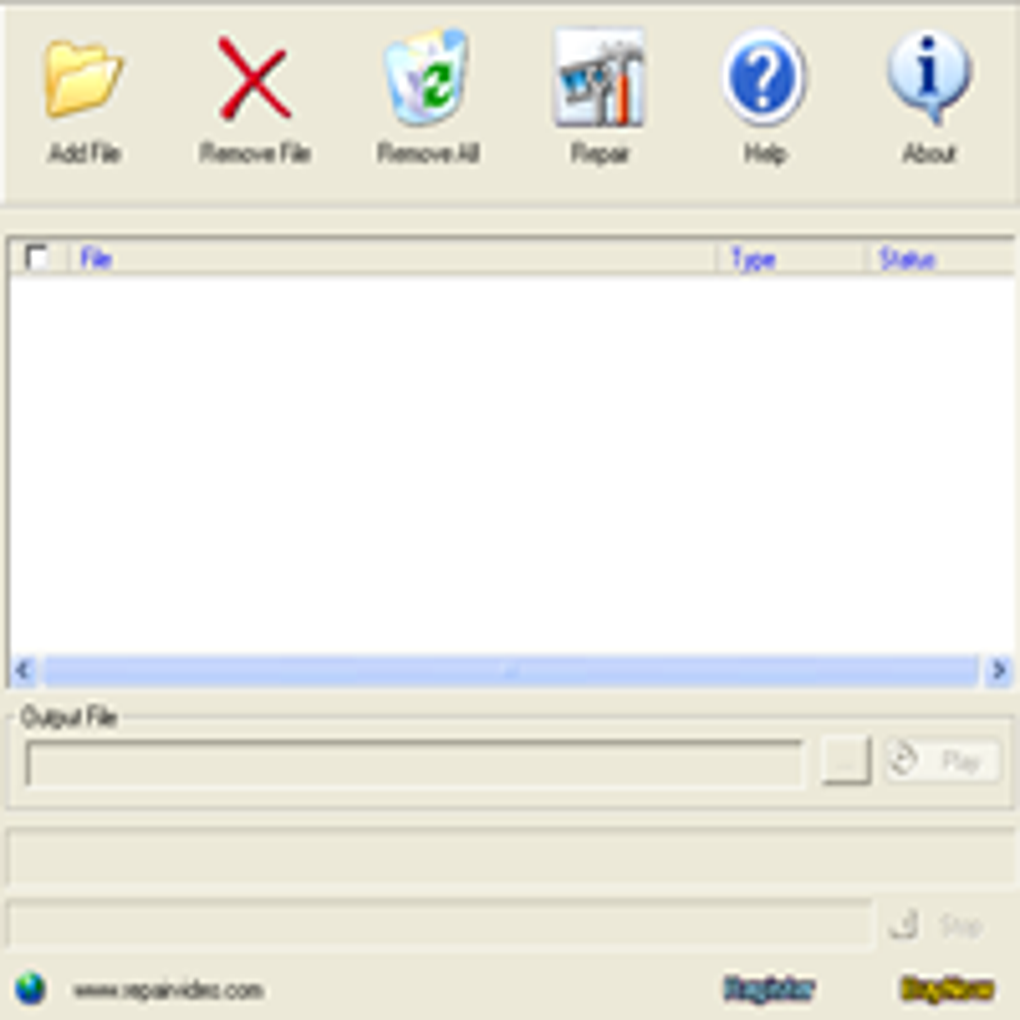
Once the program is open, you’ll see a clean interface with three main buttons: “Add File,” “Repair,” and “Settings.” Click “Add File” and browse to the corrupted video. You can add multiple files for batch repair. After selecting the files, press “Repair.” The software automatically scans each video, identifies corruption points, and begins reconstruction. A progress bar shows the status, and an estimated completion time appears. When finished, the repaired video is saved in the same directory with “_repaired” appended to the filename. Use the built‑in preview player to verify the result before moving the file to your library.
System Requirements (itemprop="operatingSystem")
Repair Video Master runs smoothly on both Windows and macOS platforms. Minimum requirements are modest:
- Windows 7, 8, 10, 11 (64‑bit) – Intel Core i3 or equivalent, 2 GB RAM, 200 MB free disk space.
- macOS 10.13 (High Sierra) or later – Intel or Apple Silicon (Rosetta 2 translation for M1/M2), 2 GB RAM, 200 MB free disk space.
For optimal performance, especially with large 4K or 8K files, a faster CPU (i5/i7 or Apple M1/M2) and 4 GB+ RAM are recommended. The tool does not require a dedicated GPU; all processing is CPU‑based.
Pros, Cons & Frequently Asked Questions
Pros
- Fast, one‑click repair saves time.
- Broad format and large‑file support.
- Preserves original video, creating a new file.
- User‑friendly interface suitable for non‑technical users.
- Batch processing for multiple videos.
- Regular free updates keep the software current.
Cons
- No built‑in video editing features – only repair.
- Free trial limits the number of repairs per session.
- Only available for Windows and macOS (no native Linux version).
FAQ (itemscope itemtype="https://schema.org/FAQPage")
Can Repair Video Master fix videos that won’t play on streaming services?
Yes. The tool can repair corrupted headers and missing index data that often prevent streaming platforms from loading a video. After repair, the file behaves like a normal, streamable video.
Is the repaired video lossless, or does quality degrade?
Repair Video Master restores the original data without re‑encoding, so there is no quality loss. The only change is a new container structure.
Do I need an internet connection to use the software?
No. After the initial download, the program works entirely offline, ensuring your videos stay private.
What file formats are NOT supported?
Rare formats such as FLV, MKV (without proper codec packs), and proprietary camera RAW video files are not directly supported, though you can convert them to a supported format before repair.
How many videos can I repair with the free trial?
The trial allows you to repair up to three videos. For unlimited repairs, purchasing a license is required.
Conclusion & Call to Action
Repair Video Master stands out as a reliable, fast, and secure solution for anyone who needs to resurrect corrupted video files. Its intuitive one‑click workflow, extensive format coverage, and respect for the original file make it an essential tool for both casual users preserving personal memories and professionals handling large media libraries. While it lacks built‑in editing capabilities and is limited to Windows and macOS, the focused repair engine delivers consistent results without quality loss. If you’ve been frustrated by videos that refuse to play, lag during streaming, or simply refuse to open, this software offers a hassle‑free remedy.
Ready to give your broken videos a new life? Download Repair Video Master now from the official Boilsoft site, run the quick installer, and experience the satisfaction of watching your repaired footage instantly. For unlimited repairs and priority support, consider upgrading to the full license – a small investment for priceless memories.
Guides & Tutorials
How to install Repair Video Master
- Click the Download button above.
- Once redirected, accept the terms and click Install.
- Wait for the Repair Video Master download to finish on your device.
How to use Repair Video Master
This software is primarily used for its core features described above. Open the app after installation to explore its capabilities.
User Reviews
No reviews yet. Be the first to share your experience.
You may also like
more
Llama 2
Free-to-use large language model As the new addition to Meta’s arsenal of langua...

NotebookLM
Revolutionizing the note-taking and idea-generation process NotebookLM is an exp...

Github co pilot
AI-inspired software development and coding platform GitHub Copilot is a browser...

Google Gemma
Google’s lightweight AI models Introducing Google Gemma , a family of cutting-ed...

AI Image Enlarger
A free app for Windows, by ai-image-larger. AI Image Enlarger is a free software...

DALL E
AI-driven text-to-image transformation engine DALL·E is a free graphic and desig...